Is 1MV.ai Worth Trying? An In-Depth Review of This AI Music Video Maker
Is 1MV.ai Worth Trying? An In-Depth Review of This AI Music Video Maker
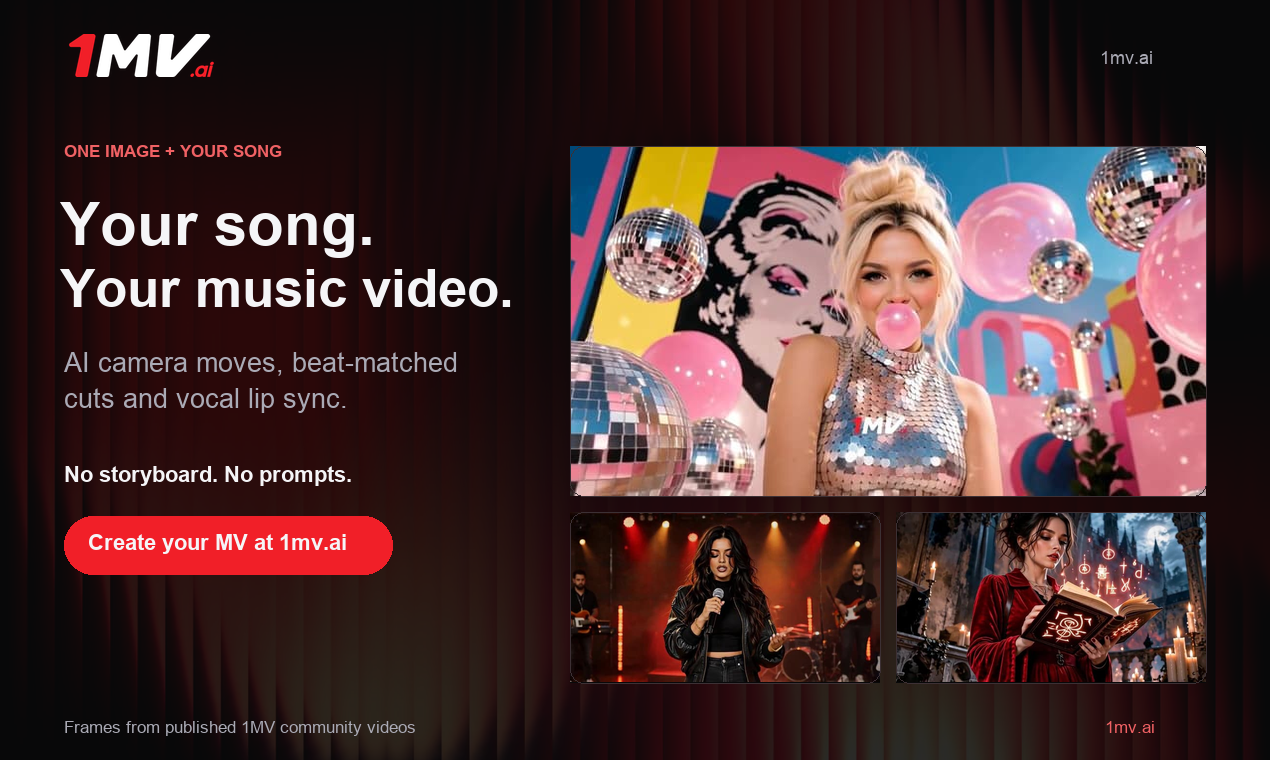
Why Are AI Music Videos Becoming More Important?
AI music generation has made it easier than ever for independent musicians to produce original songs. Tools such as Suno and Udio allow creators to experiment with vocals, genres, and arrangements without a traditional recording setup.
However, creating a song is only part of the challenge. Musicians also need visual content to promote their releases on YouTube, TikTok, Instagram Reels, and other platforms. A finished track without a compelling video may struggle to attract attention, especially in social media environments where visual presentation matters.
Traditional music video production requires filming, editing, actors, equipment, and considerable time. General-purpose AI video tools offer another option, but users often need to generate multiple clips and assemble them manually.
This creates demand for a more focused AI music video maker: a tool that can turn an existing song into a complete visual performance without requiring a complicated editing workflow.
What Is 1MV.ai?
1MV.ai is an AI-powered music video generation platform designed to transform a single image and an audio track into a music video.
Its primary audience includes independent musicians, AI music creators, virtual singers, social media content creators, and people who want to produce visual content for songs without filming themselves.
The platform focuses on automating several production tasks: lip synchronization, camera movement, shot changes, and music-based transitions. Instead of generating a collection of unrelated short clips, its workflow is designed around the uploaded song.
This makes it particularly relevant to creators who already have a finished track and want to give it a visual identity.
Key Features: What Does 1MV.ai Actually Offer?
1. AI Music Video Generation
The central feature is full-song music video generation from one image and one audio file. Users can upload a portrait, illustration, character image, or album cover, then pair it with their music.
The system uses the image as the visual foundation and generates a moving performance around the soundtrack. This approach reduces the need for storyboards, separate scene prompts, and manual clip assembly.
It is useful for musicians who want a visual version of a new single, demo, or AI-generated song. However, a single-image workflow naturally offers less narrative variety than a video built from multiple locations and characters.
2. AI Lip Sync
AI lip sync is one of the most relevant features for music creators. 1MV.ai animates the face in the uploaded image to follow the vocals in the song.
The platform supports multiple languages, including English, Japanese, Korean, Chinese, Spanish, and Portuguese. This makes it interesting for international musicians and creators producing multilingual content.
There is an important distinction between singing lip sync and basic talking-photo animation: singing involves sustained vowels, rapid syllables, changing vocal intensity, and sometimes overlapping voices.
Although the platform is designed to follow vocals, synchronization should not be assumed to be perfect in every situation. Fast lyrics, backing vocals, unclear facial references, and complex arrangements are all worth checking in the finished video.
3. Automatic Camera Movement
A static portrait can quickly become visually repetitive. 1MV.ai attempts to address this by automatically planning camera movements and changes in viewing angles.
These movements help create a sense of performance rather than simply displaying an animated photograph. For creators without editing experience, automatic direction can save time.
The trade-off is control. Users who need to specify the exact timing, position, or trajectory of every camera movement may find an automated system restrictive.
4. Beat-Synced Scene Transitions
Music videos depend on visual rhythm. A transition that feels disconnected from the soundtrack can weaken the overall experience.
1MV.ai analyzes the music and plans cuts around its beats. Faster songs can benefit from more frequent visual changes, while slower tracks may work better with more gradual movement.
This removes the need to manually mark every beat on an editing timeline. However, musical structure is more complicated than rhythm alone. A chorus, quiet verse, and instrumental break may require different visual treatments, even when their tempos are similar.
5. Director Style
Director Style gives users another way to influence the visual direction of a generated video.
Creators can select an available style or describe and save their own directing approach. This can help establish a more consistent atmosphere across several music releases.
For example, an electronic music creator might prefer futuristic lighting and energetic camera movement, while an acoustic musician may want softer visuals and slower pacing.
It is best understood as creative guidance rather than complete shot-by-shot control.
6. Multiple Video Aspect Ratios
Different platforms have different video requirements. 1MV.ai supports six aspect ratios:
21:9 – Cinematic widescreen.
16:9 – Standard YouTube videos.
4:3 – Traditional video presentation.
1:1 – Square social media posts.
3:4 – Portrait-oriented feed content.
9:16 – TikTok, Instagram Reels, and YouTube Shorts.
Choosing the intended format before generation helps creators avoid relying on cropping a finished video afterward.
How to Create a Music Video with 1MV.ai
The workflow is relatively straightforward:
Step 1: Prepare an image. Choose a clear portrait, virtual singer, character illustration, or album cover. A well-lit image with one visible face and an unobstructed mouth is a sensible starting point for lip-sync content.
Step 2: Upload your song. Add an audio file such as MP3, WAV, M4A, FLAC, or OGG. A finished song is preferable because the visual timing will be based on the uploaded audio. Suno users can download their track and use it to create a Suno music video.
Step 3: Choose the video format. Select 16:9 for YouTube or 9:16 for vertical social platforms. Choose a suitable resolution and, if desired, a Director Style.
Step 4: Generate the video. After checking the settings and confirming that you have the necessary rights to your image and audio, start generation. The platform handles the camera direction, transitions, and lip synchronization automatically.
Step 5: Review and export. Watch the entire result, paying attention to mouth movements, camera changes, transitions, and framing. Once satisfied, download the video or share it through a link.
This workflow is particularly useful for creators who want to turn an existing song into an ai music video without learning a professional editing application.
Advantages and Limitations
Where 1MV.ai Has Advantages
Simplified production: One image and one song replace a more complicated multi-clip workflow.
Integrated lip sync: Vocal animation is part of the music video process rather than a separate editing task.
Automated direction: Camera movement and beat-based transitions reduce manual work.
Flexible formats: Six aspect ratios support different publishing platforms.
Accessible workflow: Users do not need to write prompts for every shot or build a storyboard.
What Should Users Be Careful About?
First, lip-sync quality can vary. Complex vocals, overlapping singers, and rapid lyrics may produce less convincing facial movement.
Second, automatic camera direction limits precise control. Users cannot approach the workflow in exactly the same way as a traditional editor who manually designs every shot.
Third, a single source image limits storytelling possibilities. It is suitable for a performance-focused video, but less suitable for a detailed narrative involving multiple scenes or characters.
Finally, credit consumption deserves attention. According to the current pricing information, generation costs depend on video duration, resolution, and model selection. At the base model rate, 720p uses one credit per second, while higher resolutions consume more. A three-minute 720p video therefore requires 180 credits. Users should check the displayed cost before generating multiple versions.
The free plan is limited to short videos and includes a watermark, while paid plans offer longer videos and commercial-use permissions under the platform's stated conditions.
Who Should Use 1MV.ai?
1MV.ai is worth considering for:
Independent musicians who want visual content for new releases.
Suno and Udio users who want to turn AI-generated songs into videos.
Virtual singers and character creators interested in AI lip sync.
Social media creators who need music-focused vertical content.
Beginners who prefer automated production over manual editing.
It may be less suitable for filmmakers, music video directors, or advanced editors who need detailed scene composition, multiple locations, precise camera paths, and extensive timeline control. Those users may benefit more from general-purpose AI video generation and conventional editing tools.
Final Verdict: Is 1MV.ai Worth Trying?
1MV.ai addresses a specific problem: turning an existing song into a complete music video without organizing a traditional production workflow.
Its strongest value lies in combining full-song generation, AI lip sync, automatic camera movement, and beat-synchronized transitions in one process. This makes it particularly relevant to independent musicians and AI music creators who prioritize convenience.
However, it should not be treated as a complete replacement for professional video production. Automated direction comes with creative limitations, and the quality of lip synchronization still depends on the source image and audio.
For most interested users, the sensible approach is to start with a short section of a finished song. Evaluate the facial animation, visual rhythm, and overall quality before spending credits on a longer project. Whether 1MV.ai is worth using ultimately depends on how well its automated workflow matches the creator's expectations.